

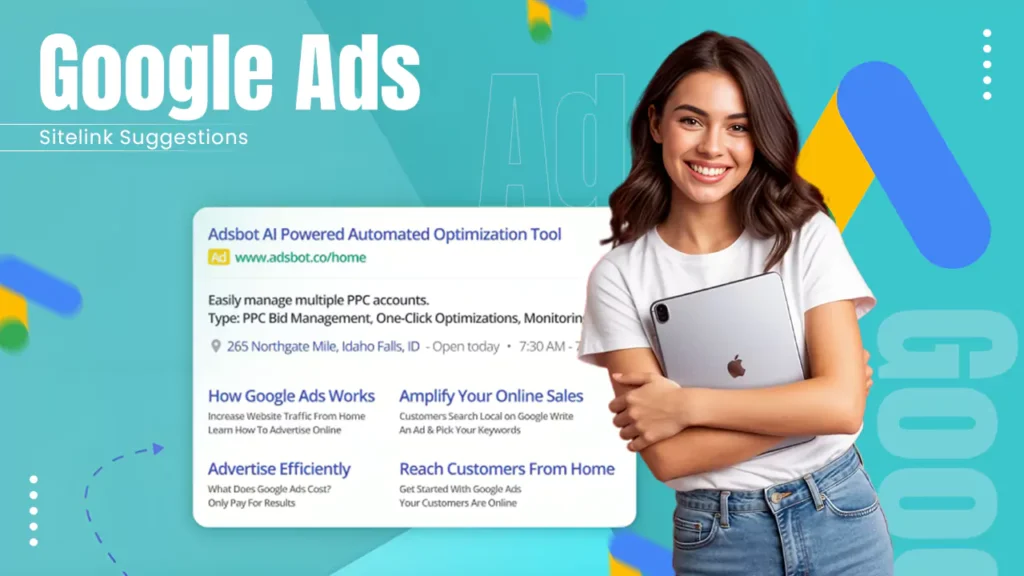
Recently, a Google user reported on LinkedIn about discovering Google Ads automatically providing sitelink suggestions.

After this, people have started checking for such updates in their Google Ads console to try to understand this new feature.
Here is a concise account of the Google Ads sitelink suggestions and related developments.
All About Google Ads Sitelink Suggestions
Arpan Banerjee, a Delhi-based digital marketer, reported in a LinkedIn post that:
“𝐆𝐨𝐨𝐠𝐥𝐞 𝐀𝐝𝐬 𝐢𝐬 𝐧𝐨𝐰 𝐩𝐫𝐨𝐚𝐜𝐭𝐢𝐯𝐞𝐥𝐲 𝐬𝐮𝐫𝐟𝐚𝐜𝐢𝐧𝐠 𝐬𝐢𝐭𝐞𝐥𝐢𝐧𝐤 𝐬𝐮𝐠𝐠𝐞𝐬𝐭𝐢𝐨𝐧𝐬 𝐟𝐨𝐫 𝐲𝐨𝐮”
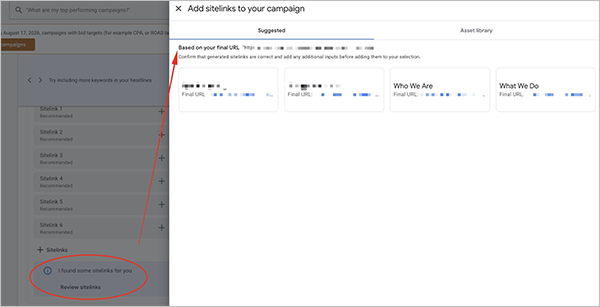
This interface clearly mentions “I Found Some Sitelinks For You” at the bottom left corner, below which is “Review Site Link”.
This will take the advertiser to the interface showing the suggested URL inside the Google Ads advertiser console interface.
It will help Google Ads users to track the sitelink of the ad extension. This suggested link can be added to the ads, which can be linked to the specific page on the website, eventually saving time and effort while making full use of sitelink features.
Suggested Read: Google Tightens Disclosure Rules For Ads
Other Related Developments
In June this year, people have reported that Google is trying to show images within the sitelinks portion of the ads.
Prior to that, some users like Gagan Ghotra and Khushal Bherwani have posted on X.com about a new sitelinks format in the search ads and sponsored listings.
Also, earlier this year, people have observed Google conducting trials on showing 10 sitelinks on some of the search result snippets.
Final Words
Although the Google Ads Sitelink Suggestions feature is not widely reported and discussed, there might be a possibility of it being on a trial. However, we can hope for its global rollout in the coming months, same as the Google Business Profile Posts View Count feature.
This will enhance the convenience of the advertisers while ensuring full utilization of sitelink assets.
Next Read: Dynamic Search Ads Are Being Replaced By AI MAX: What Advertisers Need To Know Before 2027


Leave a Comment
Your email address will not be published. Required fields are marked *