

Google Ads has published documentation for an AI campaign localization tool now in beta that lets advertisers turn an existing English (US) search campaign into a version for another language. The tool translates ad copy, keywords, and optionally landing pages. Google says it’s meant to replace the manual work of building separate campaigns for each language. Which helps advertisers to reach new customers and expand their business. But it is unclear when the tool was launched from the help page.
AI Tool to Localize Search Campaigns in 10 Target Languages
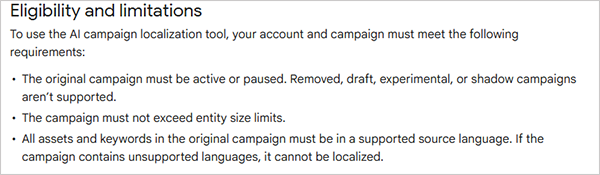
When an advertiser localizes a campaign, Google Ads creates a new, independent campaign and doesn’t modify the original. Headlines, descriptions, sitelinks, callouts, and keywords are translated into the targeted language. And if an image contains text, the AI removes the text and adds the translated message as additional text.
Budget and bids are copied from the original campaign, and no currency conversion is applied; for example, if $100 is a daily budget, then it stays a $100 budget and is not changed.
Advertisers can set the new campaign location and budget when setting up.
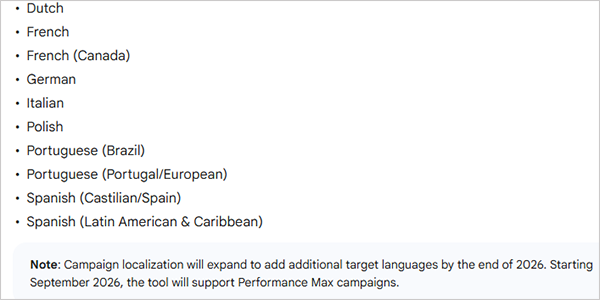
Supported 10 Target Languages
It now supports 10 target languages, but Google says campaign localization will expand to add additional target languages by the end of 2026.
Check a few things before and after your ad goes live and manage your PPC Campaign well.
How it’s gonna Work
There is a five-step process Google has described in its help document:
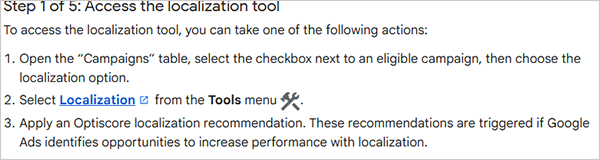
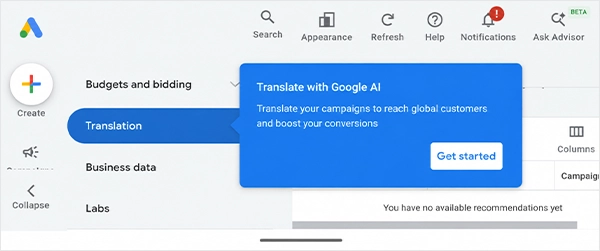
1. Advertisers can open the tool in three ways: By selecting an eligible campaign in the campaign table, choosing localization from the tools menu, and applying an Optimization Score recommendation, which Google Ads shows when it identifies a performance opportunity for localization.
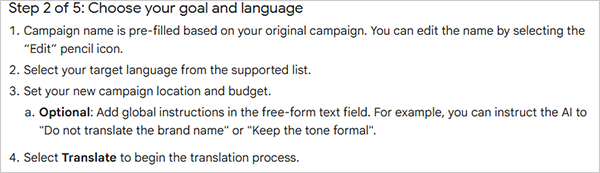
2. Setting: Pick the target language, location and then put the budget also they can edit the campaign name. Also, there are options to give AI optional instructions, such as not translating the brand name.
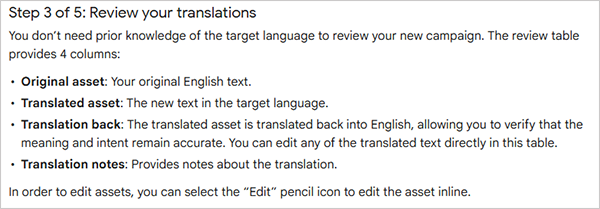
3. Now review translations: A review table shows the original asset, the translated asset, a translation back into English (US), and translation notes. Google also says advertisers do not need to know the target language to review the output, and they can edit any translated text in the table.
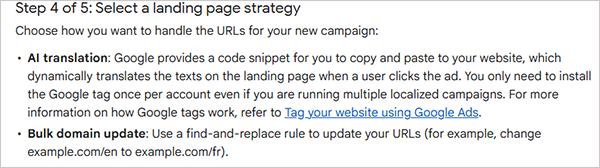
4. Pick a landing page method: With AI translation, advertisers add Google-provided JavaScript snippets to their site, and the landing page text is translated dynamically when someone clicks the ad. The Google tag needs to be installed only once per account. Alternatively, advertisers can use a bulk find and replace rule to point ads to existing localized pages.
5. Publish: New campaigns are published as paused by default, so advertisers can run final checks before going live.
Read More – Google Tests New Sitelink Design for Mobile Ads
What’s next
Google says more targeted languages will be added by the end of 2026. Its help page also says Performance Max support would start in September 2026; that month has passed, so advertisers should check whether the option appears in their accounts because the tool is in beta.


Leave a Comment
Your email address will not be published. Required fields are marked *