

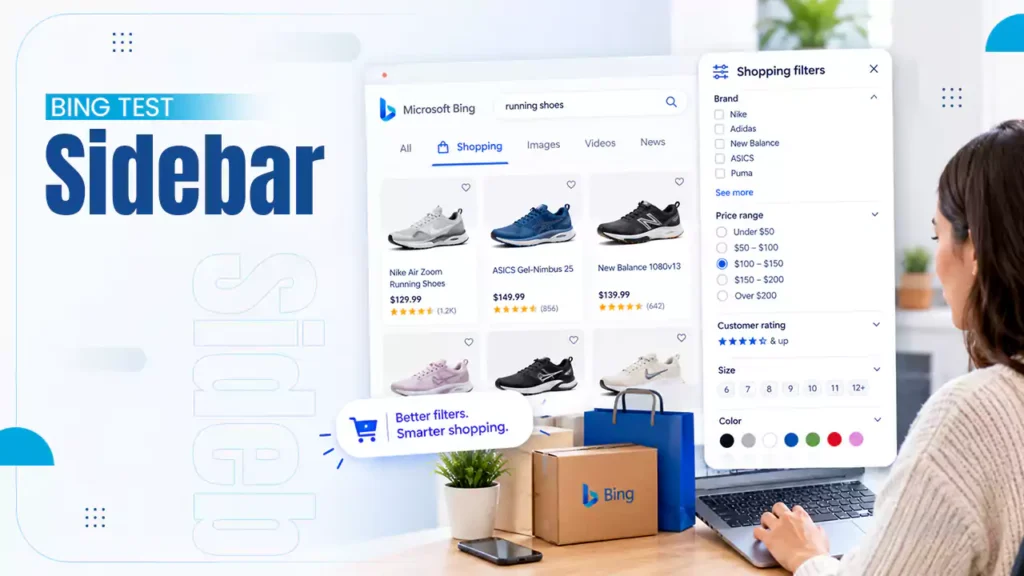
Microsoft Bing is testing a sidebar category navigation on desktop for e-commerce queries. This has added a new shopping experience by putting product filters directly in the left sidebar of its search results. So users can refine product searches without leaving the main SERP.
This test was spotted in September 2026, and it is only available to some users for now. After this upgrade, the general search tab will start to look more like Google.
What’s the Bing Shopping Filters Update?
This shopping filter is currently in test mode and available to some users. It is similar to the feature Google added in 2022, and the Bing search bar is looking like Google now.
This filter is added on the left side, like an e-commerce platform, and from here the user can use the filter to narrow down from all products to the product they require.
Here I have shared a short GIF so you can see how the look has changed and how the filter looks exactly like an e-commerce page. This GIF was shared on Search Engine Watch and X by Sachin Patel.
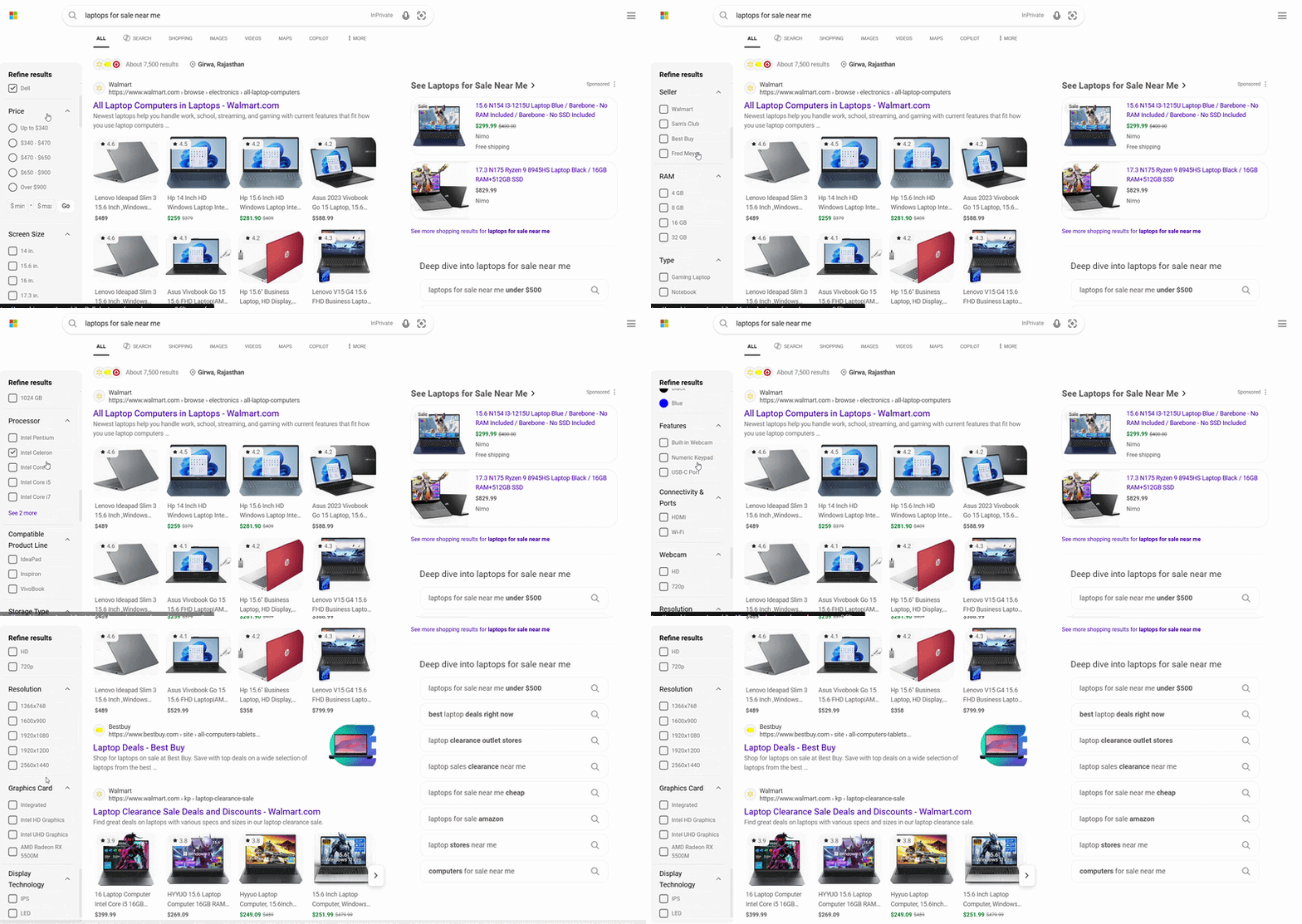
Interactive Product Filtering: These new Bing product search filters become more interactive.
Filters in Results: Users may no longer need to keep changing their queries to find the right product. They can simply search, filter, and compare directly on the SERP.
Enhance Product Discovery: According to e-commerce SEO terms, this change in Bing’s sidebar makes product feed optimization more necessary, where accurate product data is even more important.
What Retailers Need to Understand
Retailers need to understand that users can narrow products using this interactive product filtering with details such as:
- Brand
- Price
- Product attributes (based on the product you are searching for)
This makes Bing’s regular search page feel more like an e-commerce marketplace. But as a retailer, you have to work a little bit on your product’s details.
This big change makes simple product data more important for improving your product visibility.
Improve Product Details
If Bing expands this feature, you need to make sure your product information is accurate and complete, and you need to include the following details:
- The Product titles
- Your Brand details
- Product Prices
- Product Availability
- Genuine and clear Images
- Product attributes
- Shopping feed information
If Bing clearly understands your product, then it can potentially match that product with relevant filters. This helps your product to show up for potential buyers.
Checklist for Retailers
There is no need to panic or rebuild your strategy based on one test. Instead, you can check this checklist:
- Keep your product feeds accurate.
- Check prices and stock regularly for your products.
- Use clear, descriptive product attributes.
- Regularly monitor Bing Shopping visibility and traffic.
There are some essential checks to improve your e-commerce SEO for better rankings.
Final Words on Bing Sidebar Changes
Bing test happens in its left sidebar, which gives users a faster way to refine their product searches. Where you, as a retailer, need to polish your product details.
It is still an experiment, but it signals that e-commerce search is more about filtering and comparing directly within the SERP. So how much you categorize and maintain a hierarchy in your product listings helps you a lot to get found by your potential buyers.
Read Next: What’s New AI Tool Update in Google Merchant Center

Leave a Comment
Your email address will not be published. Required fields are marked *