

Google has introduced a new multimodal search filter in Search Console, giving marketers more visibility into how people discover their content through image-based searches.
This update, introduced by Google on September 24, 2026, shows how Google Search continues to move beyond traditional text queries. Now Users can search by taking a photo, uploading an image, or interacting with content directly on their screen.
Until now, much of this visual search activity was not clearly visible in Search Console, but this new filter changes that.
What is the New Multimodal Search Filter?
This new multimodal filter lets marketers track search activity generated through the visual search experience.
Marketers can track visual searches that happen through these methods:
Google Lens: Users take photos with the camera using Google Lens and make a search using Google Lens.
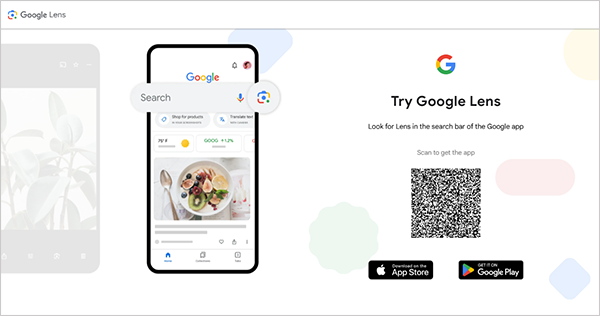
Circle to Search: Android users can circle something on their screen, and it shows them the result which can be a website or an ecommerce page from where it found a similar image result.
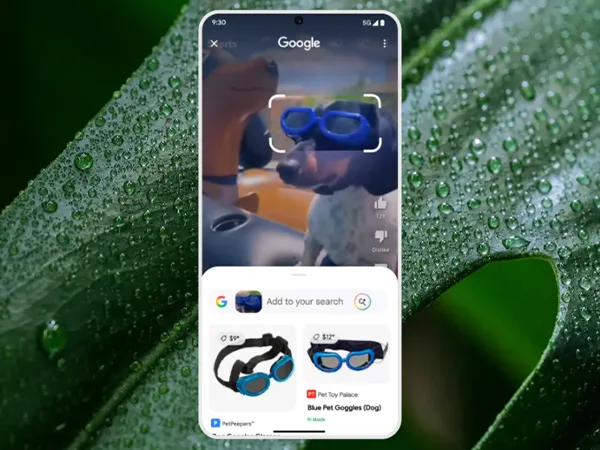
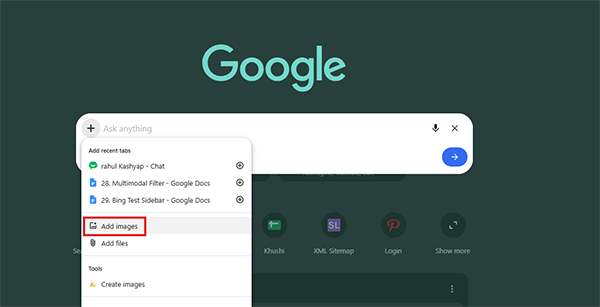
Image Uploads: Users can upload an image directly to Google Image Search to find similar searches.
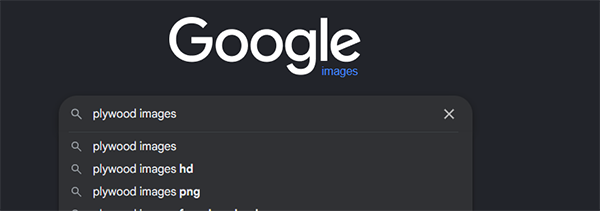
Search this Image: Chrome users can right-click an image to search and get related information.
Where Can You Find the Tracked Data in the Search Console?
After the search data is tracked, you can find it in the multimodal filter, which is available in two Search Console reports:
- Performance on Search Results
- Generative AI feature
To check the data, open your performance report in Google Search Console and select multimodal under the search type filter.
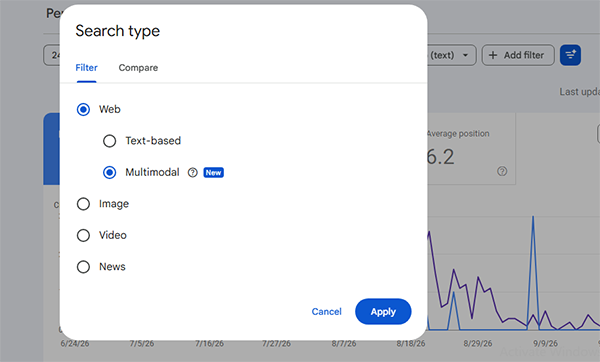
It is another noteworthy development this year, following the Google Search Console AI Configuration that was rolled out in August to simplify KPI reporting and analysis.
Improve Rankings with Multimodal Filter Tracked Data
After seeing your tracked data, you can take steps to improve the results:
Check your Data: After finding data using the multimodal filter, identify which images on your site are receiving impressions or clicks through visual search. You can see the position, total impressions, and clicks.
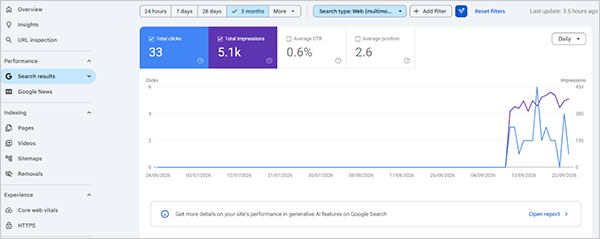
Review your Important Pages: Using this multimodal filter, you can check whether the top-performing page images that you want to get indexed and viewed by users are indexed and viewed.
If images are not getting impressions or are not indexed, you can improve images by replacing them to improve quality or by adding better alt tags and captions to your most valuable or top pages.
Analyse Images: You can see which images perform well, which images are not indexed, and compare images. Understand which images are ranking better and on which topics, or how well described they are, to improve non-performing images.
Multimodal Filter Help Marketers
This multimodal filter is useful for heavy websites like e-commerce stores, travel sites, and recipe websites. Marketers can understand these:
- Are my images generating search visibility?
- Which pages are appearing in visual searches?
- Are these images performing better?
- Is my image seo strategy good or not?
Expert Talks about the Multimodal Filter
Brodie Clark shared an insight on Twitter about the impact after the filter became active.

Final thought
Google’s Search Console Multimodal Search Filter is a small but useful add-on in Search Console. This gives us as publishers a way to discover how users search for image content through Google Lens, Circle to Search, and other visual searches.
AI visuals are becoming more useful for understanding users’ searches day by day; this type of data helps us better fulfill users’ searches.
Next Read – How Do Google Search Console Social Media Platform Properties Help Content Creators?


Leave a Comment
Your email address will not be published. Required fields are marked *