

The market is changing fast, and so do marketing trends. For digital marketing, the fundamentals are the same, but now the actual competition-breaking factor is who acts quickly and shows results faster.
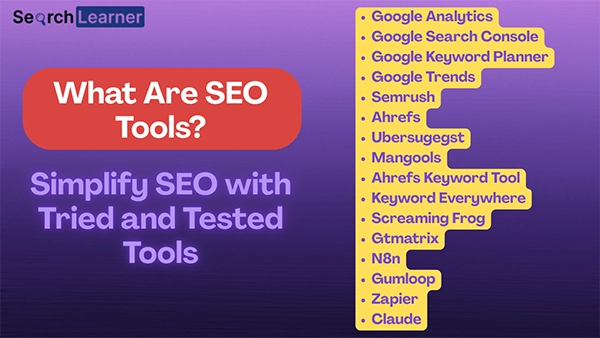
Here SEO tools come into play. But you might be unaware of exactly what are SEO tools used for.
SEO tools are software programs or SaaS that simplify SEO work such as technical SEO, site audits, and keyword research.
Here is a complete catalog of the most commonly used SEO tools by experts.
General Tools
You will find ample SEO tools suggested by every second digital marketer. But most of them will be in a cluttered and unsegregated list with DIY suggestions.
Here are some prominently used SEO tools based on their utility and purpose that you can pick as per your convenience.
Google Tools
Google tools are the kingpin in the SEO domain, known for providing the most authentic and dependable insights about the website.
The entrants in digital marketing must learn to use them first before heading to other specialised third-party tools.
1. Google Analytics
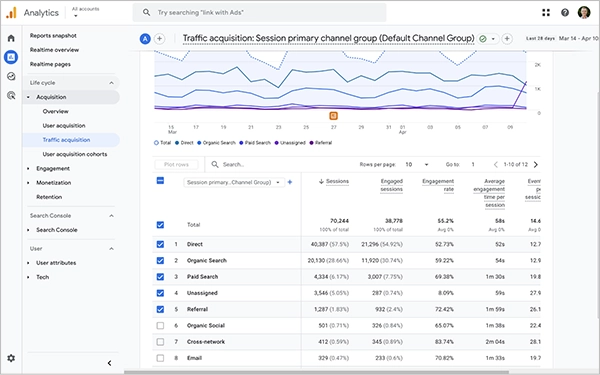
This tool presents a layout of the current performance of the website through traffic measurements, traffic sources, conversions, engagement time, bounce rate, conversion revenue, and ad clicks, impressions, and cost.
Recently, Google Analytics has added a few new features, which are:
- Website and app data
- Predictive capabilities for guidance
- Event-based data over session-based data
2. Google Search Console
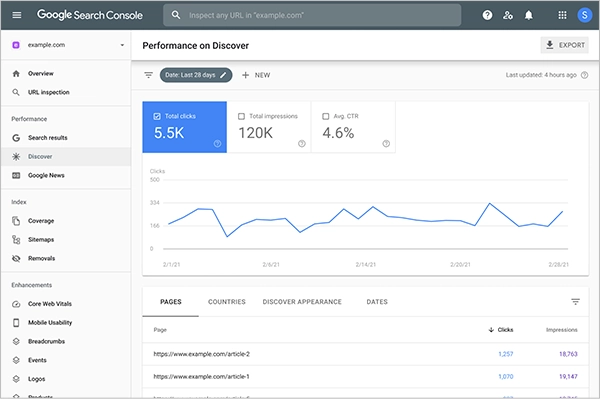
GSC is another magnificent tool that gives insights about the indexed pages, XML sitemap errors, Core Web Vitals, and rich result tests.
Knowledge Pill: Core Web Vitals includes Largest Contentful Paint (LCP) to measure loading performance, Interaction to Next Paint (INP) for gauging responsiveness, and Cumulative Layout Shift (CLS) for measuring visual stability. All these are accessible through Google Search Console.
A few months back, Google’s New Generative AI Performance Report was released to help users to learn about website performance on Google AI mode and AI Overviews.
3. Google Keyword Planner
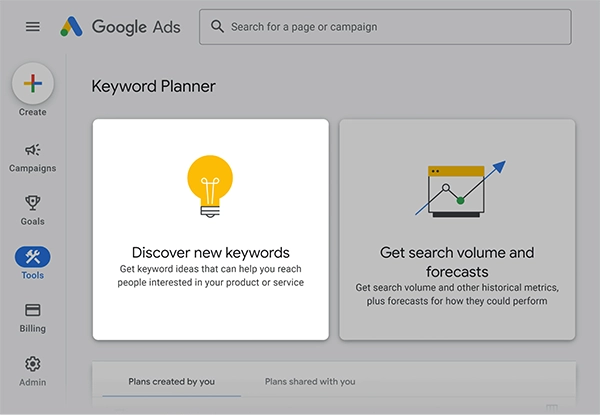
The foundational step for content is keyword research, and Google Keyword Planner is the widely trusted tool for it. Through this, you can analyse:
- Competitive keywords and find opportunities
- Search volume and forecast
- Add filters to refine results
- Competition
- YoY changes
4. Google Trends
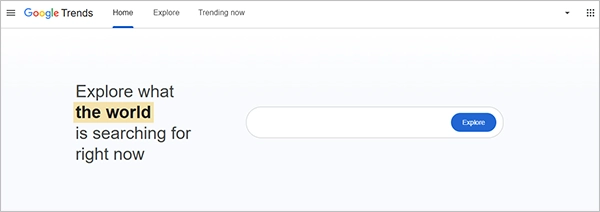
Google Trends is another great tool for keyword research.
Simply open trends.google.com, go to Explore, and search for the keyword you have in mind.
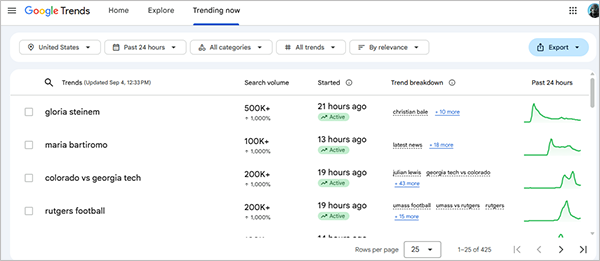
The most interesting thing about it is that, besides seeing the graphical representation of the keyword performance, you can change the filter as per your convenience. (See the pic below)

Also, use the “Trending Now” tab at the top to see which keywords are trending and how they are performing.
Site Audit
The first step in website analysis is to audit it. Earlier, this was done manually by SEO experts, but now some tools have taken this responsibility.
1. Ahrefs
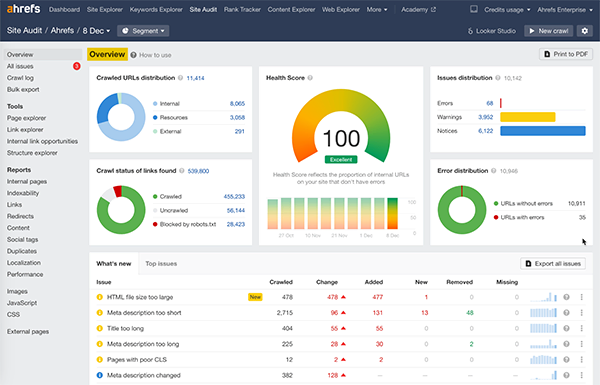
People consider Ahrefs for its deep historical data, and its new feature to track LLM visibility is also attracting the users. Not just a site audit, it is also good for competitor analysis.
The only con of this tool is that it is paid. The rest is fantastic.
2. SEMrush
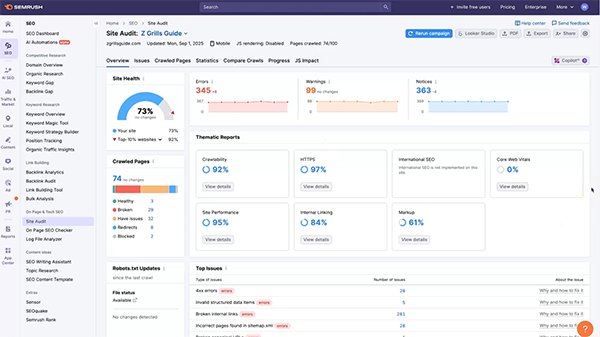
SEMrush has become a brand in SEO and its site audit tools are still one of the most used features. When coupled with the domain overview, the data provided by SEMrush almost brings a complete account of site health.
However, it is a paid feature.
It is also considered the next best tool after Ahrefs.
3. Uber Suggest
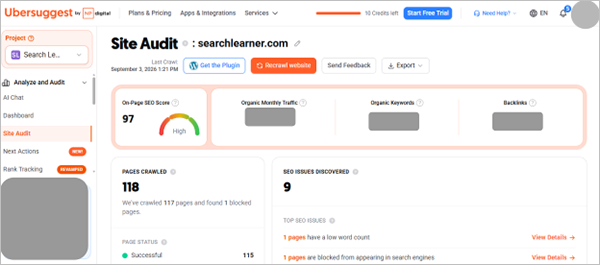
UberSuggest is also a great tool for site audits. All you have to do is add your website project to it and run an audit. It will automatically crawl through the website, check the pages, find the issues, and report them to you.
Its affordable price, beginner-friendly interface, and actionable fixes make it an easy choice.
Keyword Research
Besides Google Keyword Planner and Google Trends, there are some other reliable third-party tools to track keywords that suit your niche.
1. Mongools
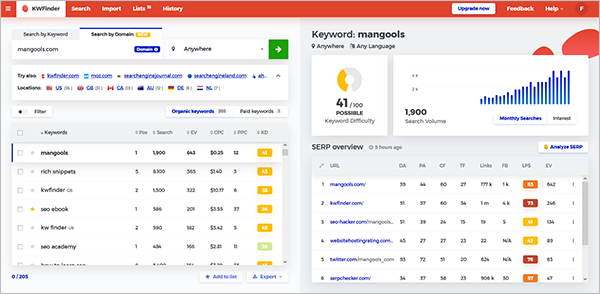
It is the easiest keyword tool till date. You can search for keyword opportunities, check volume, and related trends without much hassle. Its SERP analysis is also very visual and understandable.
However, it doesn’t go deep into the data for analysis, which is its pain point.
I added it to the list for its easy-to-use features and affordability.
2. Ahrefs Keyword Tool
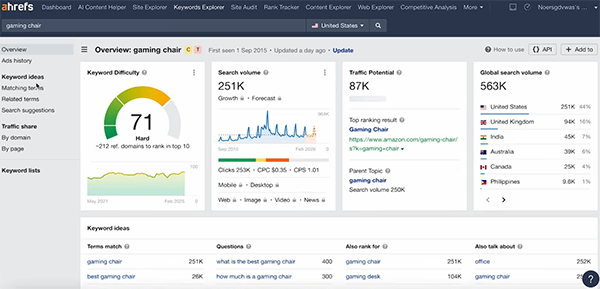
Although keyword research tools are available on other sites as well, such as SEMrush and Ubersuggest, I use Ahrefs for some of its distinct features, one of them being comprehensive filters.

Besides the fundamental filters like volume and traffic, the domain rating and word count filters make searching for relevant keywords very easy.
3. Keyword Everywhere
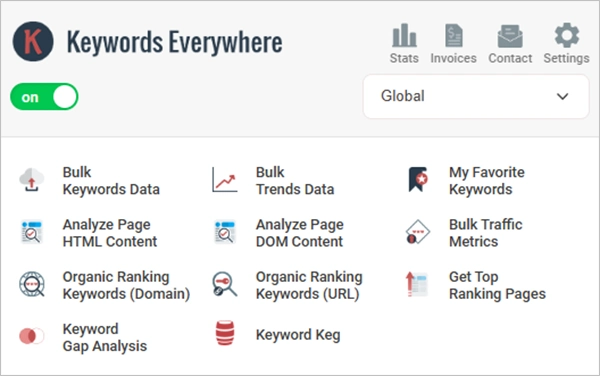
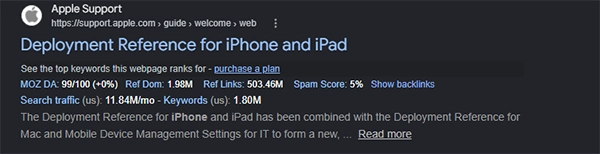
It is an extension you can install and use for free on Chrome or Edge. What it actually does is, whenever you search for something on Google, it automatically attaches key metrics like domain authority, spam score, and search traffic to websites shown in the results. (see the picture below)
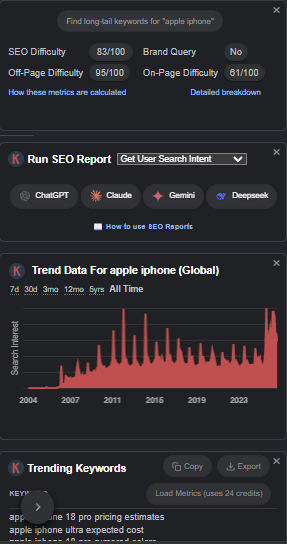
Also, it provides analysis of the searched keyword.
Technical SEO
Google has always suggested keeping the technical SEO for the site absolutely fit to ease the crawling process.
Now you can do it with these SEO tools.
1. Screaming Frog SEO Spider
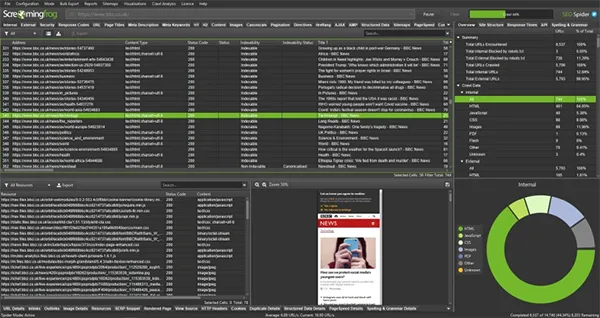
Screaming Frog is the best tool that you can download on your system and run a site audit of your site. However, SEO experts mostly use it for technical audits, site architecture visualizations, log and staging analysis, and custom extractions.
The free version has a 500-URL limit, which may work for small sites.
2. GTMatrix
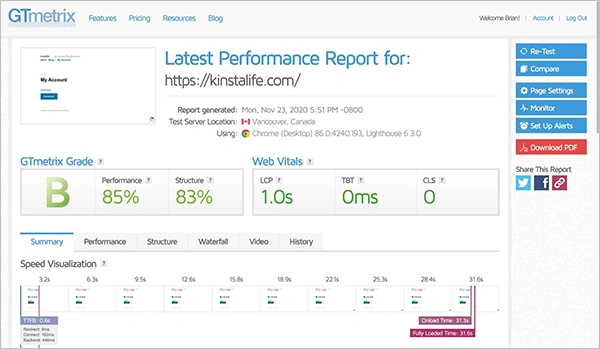
It is an entirely web-based tool known for Google Lighthouse-powered audits and waterfall charts. You can directly check the Core Web Vitals and run localised tests. It is most commonly used for checking loading speed and the prominent technical website bottlenecks and possible fixes.
Automation Tools
Automation saves time in executing repetitive tasks and has immense scope in SEO as well.
Here are some AI agents for SEO to simplify your workflow.
N8n
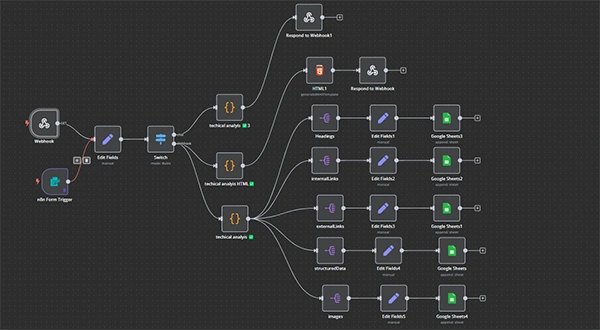
N8n is the premier automation tool these days that I have started using to make workflows and automate some fundamental repeated tasks.
There are 3 ways to use N8n:
- Paid Subscription and using it in a browser.
- Free installation on the system through Docker (requires high technical skill to use; works only while the system remains active)
- Install n8n on Hostinger (Preferred method)
Try the 3rd option to run workflow activity throughout the day, irrespective of whether your system remains on or off.
Gumloop and Zapier
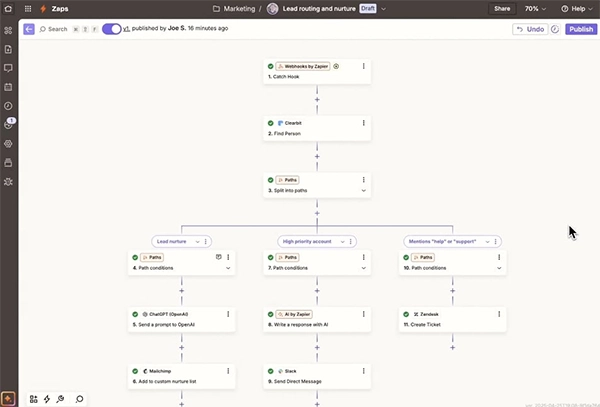
Gumloop and Zapier are the 2 distinct but very useful tools to make automations. Some examples of their automations are:
- Make pitching workflows for new leads
- Analyse the Google Analytics reports
- Connect Gmail, Google Sheets, and other tools with WhatsApp or Telegram to get instant access to the data.
Gumloop’s Shopify MCP Server is also a great tool for e-commerce SEOs.
AI Tools
AI agents like ChatGPT and Gemini can do more than just ask questions and get answers.
For SEOs, these AI bots are a treasure trove.
1. Claude Code and Skills
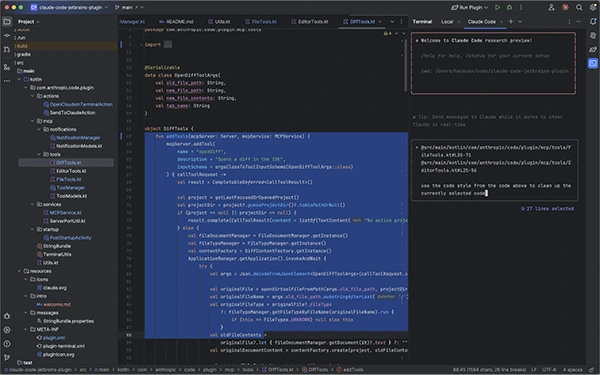
Claude is the most efficient AI agent nowadays, and Claude Code is one of its paid features that connects with local files and tools and manages workflows. It can work in multiple ways for SEO tasks.
You can also use Claude Skill to make it do something repetitive without executing lengthy prompts every time.
My suggestion is to go to GitHub, use integrated Copilot, add a prompt about what skill you can make for SEO, and use that skill in Claude.
Here is how Julian Goldie used it.
2. Other AI Chatbots
ChatGPT, Gemini, Copilot, and many other AI agents are there which can help you structure meta titles, meta descriptions, and scoring for on-page SEO or run site audits. You can also use Natural Language Processing Optimization with these bots.
However, using the paid feature will give you better results than the free version.
Suggestions From Digital Marketers
Almost all digital marketers are using one or the other SEO tool. However, some renowned names in the field have some productive advice for you.
Jake Ward has provided a list of tools he used. Check it out.
To help you with SEO, some Claude prompts are provided by our editorial director, Mr. Vinay Kumar, to simplify the functions.
Aleyda Solis has tried the MCP feature for some of the best SEO tools, such as Screaming Frog, SEMrush, and Ahrefs, and shared her view in an X post. Here is the excerpt that you must go through.
“But overall, this is a very useful direction for SEO workflows: better access to the data we already use, less manual handling, and more time spent on actual SEO thinking.”
Wrap Up
Now that you have learned what are SEO tools, you should incorporate them into your operations to save time and accelerate operations. We are aware that the time SEO takes to realize results varies, but using SEO tools simplifies the approach and saves effort.
Always remember: Human expertise + Tools = Best Results.
Also Read: How AI Chooses Local Businesses: SEO Strategies for Google AI & ChatGPT
Leave a Comment
Your email address will not be published. Required fields are marked *